

Thermal paste, widely known as thermal grease, thermal compound, or heat sink compound, is a widely used thermal management material in electronic devices.. It helps manage heat efficiently. However, many types of thermally conductive pastes are present in the market today. They vary in composition and performance. As a user, it can be difficult to differentiate between different thermally conductive pastes.
So, What are the Different Types of Thermal Pastes? What is the best thermal compound paste? What is the best thermal compound paste? These are the questions we need to consider. In this article, we’ll examine the various types of thermal paste and grease to help you make an informed choice.
There are now seven main types of thermal paste:
- Metal-based – Highest thermal conductivity (50–80 W/mK), electrically conductive
- Liquid Metal – Extreme performance (70–82 W/mK), highest application risk
- Ceramic-based – Safe and affordable, moderate performance (4–6 W/mK)
- Carbon-based – Beginner-friendly, electrically safe (4–8 W/mK)
- Diamond Carbon-based – Premium performance (8–14 W/mK), high cost
- Silicon-based – Most versatile (4–8 W/mK), recommended for most users
- Phase-Change – Solid at room temperature, liquefies under heat; ideal for laptops and compact builds
What are thermally conductive pastes and why do we need them?
Thermal conductive paste, also known as thermal conductive grease or thermal conductive compound, is a key thermal interface material. Their excellent thermal conductivity makes them useful in electronic devices. They are often used to fill tiny gaps between CPUs, coolers, and heat sinks. These gaps are often accompanied by trapped air. This severely hinders heat transfer, leading to problems of overheating and performance degradation of the device.
Thermal paste is a good gap filler. It eliminates air and creates excellent heat transfer paths. This greatly improves the thermal performance of electronic devices. It results in a more stable system operation.
Thermal paste plays an essential role in maintaining normal temperatures. It also improves performance and extends the life of electronic devices. Understanding the importance of thermally conductive pastes is critical to the performance of electronic devices. Knowing how to select and apply them correctly is also crucial.
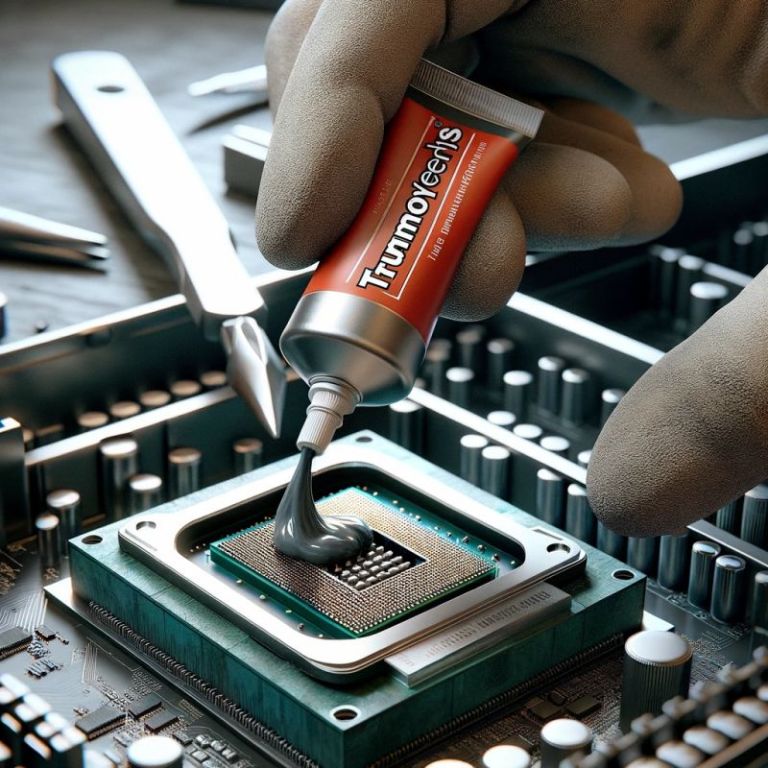
How Thermal Paste Works in Electronic Systems
Thermal paste fills tiny gaps and boosts heat transfer in electronics. This is key for keeping devices cool and working right.
Electronic parts, like CPUs, have tiny imperfections. These imperfections trap air, slowing down heat transfer.
Our thermal paste fills these gaps, allowing heat to flow smoothly.
Air pockets slow down thermal conductivity. Thermal paste gets rid of air and fills gaps. This makes heat move better between surfaces.
Different types of thermal paste
Knowing the different thermal pastes is key to picking the right one. The type of thermal paste used greatly affects how well a system works.
There are now seven main types of thermal paste: metal-based, liquid metal, ceramic-based, carbon-based, diamond carbon-based, silicon-based, and phase-change. Each type has different materials, heat transfer abilities, and prices.
Metal-based thermal pastes transfer heat well but might conduct electricity. Liquid metal thermal compounds transfer heat very well but can be messy and need careful handling.
Choosing the right thermal paste depends on your system’s needs. This includes how well it transfers heat, electrical conductivity, and its density. Knowing each type’s properties helps you make a good choice.
When picking a thermal paste, consider its heat transfer, electrical conductivity, and cost. These factors help you find the best paste for your needs.
Below is a quick comparison of the different types:
| Type | Thermal Conductivity (W/mK) | Electrical Conductivity | Operating Temp Range | Difficulty to Apply | Cost | Best Use Case |
|---|---|---|---|---|---|---|
| Silicon-Based | 4–8 W/mK | No (Safe) | -50°C to 200°C | Easy | Low/Medium | General CPU, Laptops |
| Metal-Based | 50–80 W/mK | Yes (Risky) | -40°C to 150°C | Medium | Medium | Gaming PC, Overclocking |
| Liquid Metal | 70–82 W/mK | Yes (Risky) | -20°C to 140°C | Hard | High | Extreme Overclocking |
| Ceramic-Based | 4–6 W/mK | No (Safe) | -30°C to 200°C | Easy | Low | Budget Builds |
| Carbon-Based | 4–8 W/mK | No (Safe) | -40°C to 200°C | Easy | Medium | Beginners |
| Diamond-Based | 8–14 W/mK | No (Safe) | -40°C to 250°C | Medium | High | High-End Workstations |
| Phase-Change | 4–10 W/mK | No (Safe) | 0°C to 180°C | Easy | Medium/High | Laptops, SFF Builds |
When picking a thermal paste, consider its heat transfer, electrical conductivity, and cost. These factors help you find the best paste for your needs.
Metal-based thermal paste
Metal-based thermal pastes are great at transferring heat. They are best for systems that need to handle a lot of heat. These pastes have metal particles like silver or aluminum in a carrier. This makes them good for high-performance systems because they transfer heat well.
Metal-based pastes typically achieve 50–80 W/mK thermal conductivity, making them one of the highest-performing non-liquid options available.
- Pros: has excellent thermal conductivity and is suitable for applications with rapid temperature rise.
- Cons: The metals are conductive and can cause short circuits. Be careful when applying them.
- Ideal Applications: These pastes are perfect for high-performance computing and overclocking. They need to be applied carefully to avoid damage.
- Common brands: Arctic Silver 5, Coollaboratory Liquid Pro (non-liquid variant).
Liquid metal-based thermally conductive paste
Liquid metal thermal compounds are top-notch for transferring heat. They are made with metals like gallium and indium, which are liquid at room temperature. Gallium-based compounds are known for their high heat transfer.
Liquid metal pastes deliver 70–82 W/mK thermal conductivity — up to 10x higher than standard silicon-based compounds.
- Pros: Fast heat transfer, up to eight times faster than ordinary thermal paste.
- Cons: You cannot use it with aluminum heat sinks, it is difficult to apply, it has a higher cost, and it may cause system damage if there is leakage.
- Ideal Applications: Use liquid metal compounds for extreme applications like overclocking and high-performance gaming. Always follow safety guidelines when applying them.
- Common brands: Thermal Grizzly Conductonaut, Alphacool Eisfrost Extreme.
Ceramic-based thermally conductive paste
Ceramic thermal pastes are widely used because they work well. They mix ceramic particles like zinc oxide with silicone. This mix helps with heat transfer and keeps things electrically safe.
With a typical thermal conductivity of 4–6 W/mK, ceramic pastes are a safe and affordable choice for everyday office systems and budget builds.
- Pros: non-conductive, safe, affordable, suitable for fast heating systems.
- Cons: Does not significantly reduce system temperature, less efficient.
- Common brands: Noctua NT-H1, Cooler Master MasterGel Maker.
Carbon-based thermally conductive paste
Carbon-based thermal compounds use carbon to improve heat transfer while staying electrically safe. They work like ceramic pastes but are easier to apply.
Carbon-based pastes typically achieve 4–8 W/mK and are among the easiest compounds to spread evenly, making them especially popular for first-time builders.
- Pros: easy to apply, long life, non-conductive, good for beginners.
- Cons: Lower heat transfer efficiency.
Diamond Carbon-Based Thermal Conductive Paste
Diamond carbon-based thermal pastes use diamond for top-notch heat transfer. They are safe for electronics and spread well. But, they are very expensive.
Diamond-based compounds reach 8–14 W/mK while remaining fully electrically insulating — a rare combination that suits AI servers and high-end workstations running sustained heavy loads.
- Pros: It has a very high heat transfer efficiency. It is electrically insulating and non-capacitive. It has good stability and won’t scratch surfaces.
- Cons: expensive.
Silicon-based thermally conductive paste
Silicon-based compounds use high-purity silicone with conductive fillers. They conduct heat well, spread evenly, and work over a wide temperature range. They are easy to use and last long, making them versatile.
Silicon-based pastes operate reliably across -50°C to 200°C and are the most widely recommended type for everyday users.
- Pros: It has good density and is easy to apply. It also has excellent thermal conductivity. It is suitable for a wide range of operating temperatures and is electrically insulating.
- Cons: Relatively expensive.
- Common brands: Noctua NT-H2, Arctic MX-6, Thermal Grizzly Kryonaut.
Phase-Change Thermal Past
Phase-change compounds are a newer category of thermal interface material that starts as a solid at room temperature and liquefies under heat and pressure during operation. Unlike traditional pastes, they are installed like a thermal pad — no spreading required.
- Pros: Extremely easy to apply (no mess), reusable in some formulations, excellent long-term stability under repeated heat cycles, safe (non-conductive).
- Cons: Require a “burn-in” period of several heat cycles before reaching optimal performance. May not perform as well as high-end pastes in low-power, low-temperature scenarios.
- Ideal Applications: Laptops, small form factor (SFF) builds, and systems where thermal paste replacement is infrequent. Phase-change materials are increasingly used in OEM factory builds due to their consistency and clean application.
- Common brands: Thermal Grizzly PhaseSheet PTM, Honeywell PTM7950.
How to choose a thermal conductive paste?
- Thermal Conductivity Values (W/mK): The thermal conductivity of a paste is very important. It’s measured in W/mK. A higher number means better heat transfer. Metal-based pastes reach 50–80 W/mK, while most non-metallic options fall between 4–14 W/mK. Note that manufacturer-published W/mK figures are not standardized — real-world performance depends on application thickness and mounting pressure, not spec sheets alone.
- Electrical conductivity: Thermal paste is a thermal conductive material for electronic components. It should not be charged to avoid damage to electronic equipment. When selecting thermal paste, the choice of non-conductive thermal paste or very low conductivity paste is very important. If you are not an experienced builder, always choose a non-conductive option such as silicon, ceramic, carbon, or diamond-based paste.
- High Temperature Resistance: For industrial electronics or high-performance computing, standard pastes might degrade. You need high temperature thermal paste that can withstand temperatures above 150°C or 200°C without “pump-out” or drying effects. Diamond-based pastes offer the widest operating range at up to 250°C.
- Density and viscosity: Conducting the proper density ensures that the thermal paste will not leak into the surrounding environment. It also helps the paste be evenly distributed on the surface of the processor. Thermal paste with the right viscosity is also easier to apply.
- Thermal solution: Make sure the cooling solution matches and handles the heat from the components. It can be used with thermal paste to effectively reduce the system temperature.
How to Apply Thermal Paste Correctly (Step-by-Step)
hoosing the right type of thermal paste is only half the battle. How you apply it determines whether your cooling system works efficiently or overheats.
While the general rule is to use a pea-sized amount, different processors (Intel vs. AMD) and cooler types may require specific techniques like the “X-method” or “Spread method” to avoid air bubbles. Knowing exactly how much thermal grease to use is critical.
For a complete, step-by-step tutorial on preparation and application patterns, please read our full guide: How to Apply Thermal Paste.
A Quick Summary of the Process:
- Clean: Use isopropyl alcohol (90%+ concentration recommended) to completely remove old paste from both the CPU and heatsink surfaces.
- Apply: Place a small pea-sized amount (approximately 3–4mm) of thermal compound on the center of the chip.
- Install: Secure the heatsink immediately using even, diagonal pressure to spread the paste uniformly without trapping air bubbles.
- Verify: After first boot, run a stress test for 10–15 minutes and check temperatures with monitoring software to confirm proper contact.
What is the best type of thermal paste?
To choose the most suitable thermally conductive paste, prioritize three basic factors: thermal conductivity, electrical conductivity, and density. The best solution has excellent thermal conductivity, low electrical conductivity, and moderate density. It’s neither too thin nor too thick.
The silicon-based thermal paste mentioned above is considered the best type available today. It is an all-round thermal paste suitable for a wide range of applications, meeting both thermal conductivity and safety requirements.
Here is a quick use-case decision guide:
| Your Situation | Recommended Type | Example Brand |
|---|---|---|
| Everyday desktop / office PC | Silicon-based | Noctua NT-H2, Arctic MX-6 |
| Gaming PC or light overclocking | Metal-based | Arctic Silver 5 |
| Extreme overclocking | Liquid Metal | Thermal Grizzly Conductonaut |
| Laptop or SFF build | Phase-Change | Honeywell PTM7950 |
| AI server / professional workstation | Diamond Carbon-based | Consult manufacturer |
| Budget build / first-time builder | Ceramic or Carbon-based | Noctua NT-H1 |
Best Thermal Grease Supplier
The type of thermal paste used is crucial for thermal management. Look at thermal conductivity, electrical conductivity, and density. Silicone-based paste is a good choice for its versatility and safety.
Trumonytechs aims to help find the best thermal interface materials for you. For personalized advice, contact our technical team for effective thermal management solutions.
FAQ
How many types of thermal paste are there?
There are 7 common types of thermally conductive pastes. The common metal based thermal paste, liquid metal based thermal paste, ceramic based thermal paste, carbon based thermal paste, diamond carbon based thermal paste, silicon based thermal paste**, and phase-change thermal paste**. They vary in density, thermal conductivity, electrical conductivity, and density. So you need to choose the right thermal paste for your application.
Does it matter which type of thermal paste I choose?
Choosing the right type of thermally conductive paste is important. This is because the right type of thermal paste enhances the heat dissipation performance, resulting in better cooling performance. This can greatly enhance the lifespan of the CPU as well as the GPU.
What is the difference between silicone and non-silicone thermal paste?
The main difference between silicone and non-silicone thermal paste is their dielectric properties. Silicone thermal paste has good mechanical as well as thermal properties. However, compared to non-silicone thermal paste, its dielectric properties are not as good. In contrast, silicone-free thermal paste is more suitable for environments with high insulation requirements.
Is carbon-based thermal paste good?
Carbon based thermal paste is a kind of material with performance between metal based thermal paste and ceramic based thermal paste. It not only has good thermal conductivity, but also has low electrical conductivity. In addition, carbon-based thermal paste is relatively more stable and has better degradation resistance.
What is the difference between thermal paste and thermal grease?
Thermal paste and thermal grease is a material which is also known as thermally conductive compounds. It is often used to improve the efficiency of heat transfer between different interfaces. For more details, see our Thermal Grease vs Thermal Paste article.
What is the primary function of thermal paste in electronic systems?
The main job of thermal paste is to fill tiny gaps between surfaces. It removes air pockets and boosts heat transfer between components like CPUs or GPUs and their heat sinks. Without it, trapped air acts as insulation, causing the processor to overheat.
How does the thermal conductivity of a thermal paste affect its performance?
Thermal conductivity shows how well a material can carry heat. A higher value means better cooling, making the paste more effective. For reference: silicon and ceramic pastes typically offer 4–8 W/mK, metal-based pastes reach 50–80 W/mK, and liquid metal peaks at 70–82 W/mK.
Are all thermal pastes electrically conductive?
No, not all thermal pastes can carry electricity. Some are made to be non-conductive to avoid short circuits. Others, like metal-based pastes, can conduct electricity.
What are the advantages of using liquid metal thermal compounds?
Liquid metal compounds, like those with gallium, have high thermal conductivity. They offer better cooling than traditional pastes, making them great for high-performance needs.
How do I choose the right thermal paste for my specific needs?
When picking a thermal paste, think about thermal conductivity, electrical conductivity, density, and how it applies. Make sure it fits your components and system needs. For laptops or compact builds, phase-change compounds are a clean and stable option worth considering.
Can I use any thermal paste on both CPUs and GPUs?
Some thermal pastes work on both CPUs and GPUs. But, it’s key to check the paste’s specs and what the maker suggests. This ensures it works well and doesn’t harm your system. Note: avoid liquid metal paste on GPUs with aluminum cooling components, as gallium causes corrosion.
What happens if I don’t use thermal paste or if it’s applied incorrectly?
Not using thermal paste or applying it wrong can cause big problems. It can make your system run hotter, shorten the life of your parts, and even damage your system from overheating.
How often should I replace thermal paste?
Standard silicon and ceramic pastes typically last 2–3 years. Liquid metal may need reapplication every 1–2 years due to oxidation. For office or casual-use systems, every 3–4 years is generally sufficient.
What is phase-change thermal paste?
Phase-change compounds start as a solid and liquefy under normal CPU heat during operation. They are applied like a thermal pad with no spreading required, are fully non-conductive, and are increasingly popular in laptops and compact builds.